
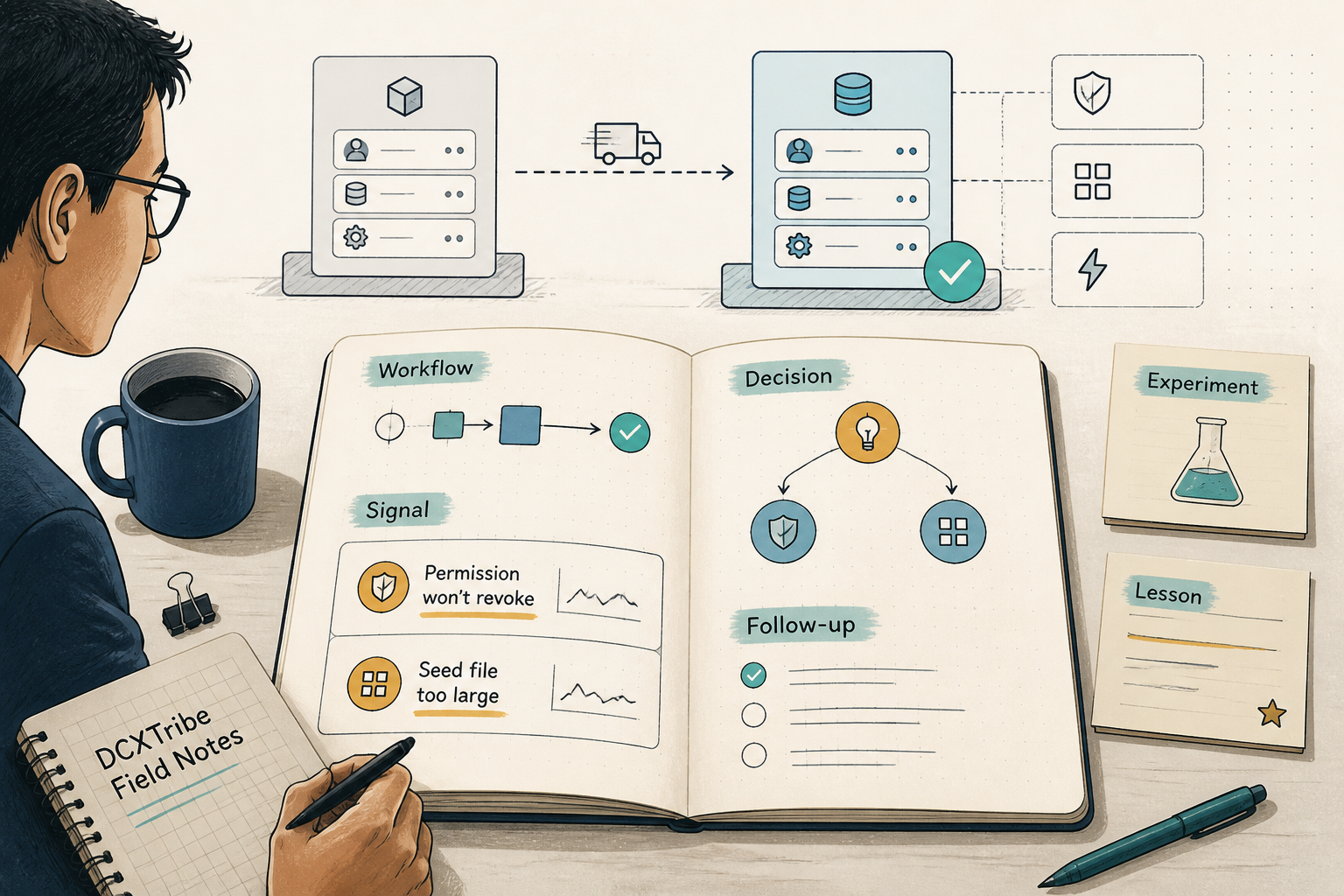
The backend came up clean on the first pass. The two things that actually cost me time weren't in the schema — they were a Postgres permission that refused to be revoked, and a seed file too big for the tool meant to load it. Neither problem cared what app I was building.
This is the field note from standing up a dedicated Supabase project — moving off the instance that came bundled with Lovable and onto a project I control, sitting alongside Cloudflare and OpenRouter for the rest of the stack.
---
What I Was Trying to Do
Lovable is great for getting to a working app fast. But the database it gives you is shared territory — fine for a prototype, not where you want your production data, your cron jobs, and your row-level security policies living long term.
The goal for this phase was narrow and deliberate: stand up a clean, dedicated Supabase project, with the full schema, security, and reference data, so the front end could be rebuilt on top of it later.
Old: Lovable app   →  Lovable-bundled Supabase
New: Own front end →  Own Supabase  +  Cloudflare (R2/storage)  +  OpenRouter (AI)
This note covers the backend (Supabase) phase. The Cloudflare and OpenRouter pieces are the surrounding stack — storage and AI generation — wired in separately.
---
Starting State
specs:          written (schema SQL, module docs, build runbook)
seed data:      exported from old Lovable project as CSV
supabase MCP:   connected — but pointed at an unrelated existing project
new project:    does not exist yet
The first useful check happened before any building. I asked the agent to list Supabase projects, and it found one — an existing, unrelated project. It correctly flagged that this was *not* the target, and that a new project was needed. That's the behaviour you want: confirm what's there before creating anything new.
---
What Actually Happened
Turning Point 1: Plan first, gate the irreversible
Before touching anything, the work was to read the schema SQL, the module docs, and the build runbook, then produce a numbered plan and stop. Creating a Supabase project is a production mutation — it doesn't get to happen on a whim.
So the first real action was a cost check, not a build:
get_cost → confirm_cost → $0/month confirmed
Then a hard stop at the human gate. Project name, org, region, cost — all on the table for approval before create_project ran. Nothing irreversible happened until I said go.
The boring middle is where the real setup happens. The gate is the cheapest insurance you'll ever buy.
Turning Point 2: Migration day is data-hygiene day
While preparing the seed SQL, one of the content tables turned out to have inconsistent naming. The same conceptual field appeared under three different legacy labels that didn't match the agreed spec:
"Destruction"  → should be "Break"
"Initiate"     → should be "Control"
"Receive"      → should be "Collect"
This is the kind of thing that silently rots an app: the front end filters on "Break", the data says "Destruction", and nothing renders. The fix went into the seed-generation script, so the corrected values landed in the new database on first insert.
Verification was a simple count:
74 occurrences of "Break" in the seeded table
0  residual "Destruction" / "Initiate" / "Receive" as classifier values
(One residual hit for "Destruction" survived — inside a longer description field, where the word was meant to be there. Worth checking, not worth panicking over.)
The lesson: a migration is the natural checkpoint to fix data hygiene. Don't carry the old mess into the new house.
Turning Point 3: When the tool chokes on size, change tools
The schema and security migrations all applied cleanly. Then came the calendar seed — 458 rows, ~36KB per batch — and the loading tool simply couldn't take it. The file was too large for the agent's file reader, too large to push through the MCP call in one shot.
I tried splitting it into batches. Still awkward. The actual fix was to stop fighting the high-level tool and drop down to the Supabase CLI, which has a flag built for exactly this:
# link once, then execute SQL files directly
supabase link
supabase db query --linked -f 03_seed_reference_data.sql
That loaded the full 458 rows in one call. The other seed files followed the same path.
The real problem was not the data. It was the transport. When a tool chokes on size, find the tool built for size.
Turning Point 4: PUBLIC is the default you forget about
This was the one that actually mattered.
After everything was loaded, I ran the security audit — get_advisors(security) — and got back 12 warnings. Most were acceptable and intentional (public signup forms allow open INSERT; has_role() *has* to be callable for the RLS policies to work). But three were real: trigger-only and cron-only functions were callable over the public API as RPCs. Things like expire_promo_subscriptions() and handle_new_user() should never be reachable by an anonymous user.
So I issued the REVOKEs. Re-checked. They hadn't taken effect.
The clue: the privileges weren't granted directly to the anon and authenticated roles — they were inherited from the PUBLIC role. In Postgres, every function is granted EXECUTE to PUBLIC by default. Revoking from anon does nothing if the access is flowing through PUBLIC.
The fix was to revoke from PUBLIC first, then re-grant selectively only to the roles that genuinely need it:
REVOKE EXECUTE ON FUNCTION expire_promo_subscriptions() FROM PUBLIC;
-- then grant back ONLY where needed, e.g. has_role to anon + authenticated
After that, the function privileges lined up exactly as intended:
function                    anon    authenticated   purpose
expire_promo_subscriptions  no        no            cron-only
handle_new_user             no        no            trigger-only
has_role                    yes       yes           needed by RLS
increment_page_view         no        yes           authed users only
protect_subscription_tier   no        no            trigger-only
set_updated_at              no        no            trigger-only
Last check, the one that protects the whole content model: confirm anonymous users can only read *published* articles, not drafts.
articles anon SELECT → scoped to status = 'published' ✓
---
Commands That Mattered
# Load large SQL seed files the MCP tool can't handle
supabase link
supabase db query --linked -f path/to/seed.sql
-- Revoke from PUBLIC, not just the named role — inheritance is the trap
REVOKE EXECUTE ON FUNCTION my_function() FROM PUBLIC;
-- Always end a Supabase build with the security audit
get_advisors(security)
---
The Working Chain
Specs + CSV exports
   → cost check → human gate → create project
   → extensions → 23 tables → indexes → grants
   → 6 functions + 12 triggers → ~50 RLS policies
   → vault secret → cron jobs
   → seed data (523 rows via CLI)
   → security audit → hardening → verify
Final tally for the phase:
tables:          23
functions:       6   triggers: 12
RLS policies:    ~50
cron jobs:       4
seed rows:       523 across 5 tables
forward coverage: ~15 months of reference data
---
What I Left Honest
A clean migration still leaves a punch list. On this one it was three small things — one content table whose forward coverage was shorter than the spec wanted, a legacy text blob still using the old vocabulary in places, and a few in-content links pointing at routes I'd since renamed. None of them blocked launch. All of them were named, dated, and scheduled.
"Done, with these three known gaps" builds more trust than claiming a spotless finish. The gaps are scheduled, not forgotten.
---
What I Learned
1. Gate the irreversible, automate the rest
Creating a project, inserting a secret, applying a migration — these get a human checkpoint. Reading data, running counts, generating SQL — these run freely. Knowing which is which is the whole discipline.
2. Migration day is data-hygiene day
You will never have a cleaner moment to fix inconsistent values than the instant before they enter a fresh database. Run a SELECT DISTINCT on every column the front end filters or groups by. Fix it in the seed script, verify with a count, move on.
3. In Postgres, `PUBLIC` is the default you forget about
If a REVOKE looks like it did nothing, the access is almost certainly inherited from PUBLIC. Revoke there first, then grant back narrowly. This is the single most common RLS-hardening miss, and it doesn't only happen on Supabase — it's a Postgres trap that travels with every Postgres-backed product.
4. When a tool chokes on size, change tools, not strategy
I lost time trying to batch a seed file through a tool that was never going to take it. The CLI had a -f flag the whole time. Match the tool to the job's shape.
5. End every backend build with the advisor
get_advisors(security) is the difference between "I think it's secure" and "I checked." Twelve warnings sounds alarming until you triage them — most were intentional, three were real. You only know which by reading each one.
---
Try This Next
If you're on Lovable and thinking about your own dedicated backend: before you migrate anything, export your reference tables to CSV and run a single SELECT DISTINCT on every column the front end filters or groups by. You'll find the dirty values — the three spellings of the same thing — while it's still cheap to fix. That one query is the best hour you'll spend on the whole migration.
---
*All views are my own. This field note is shared for learning and experimentation.*